SoftBank Hackathon 2025: Zero-Downtime Deploys from One Slack Command, Built in 48 Hours
Loading comments...
Loading comments...
What comes to mind when you hear the word Deployment? Usually, it's tension, screenfuls of rigid logs, or a developer praying that no errors pop up.
Participating in the SoftBank Hackathon 2025 on November 9th, our team 'Watermelon' had a whimsical idea. Can the deployment process be a moment of healing instead of stress?
This question sparked our project,
In this project, I took on the role of Serverless & Cloud Infrastructure, handling Lambda-based deployment logic control, API Gateway integration, and IAM security configuration.
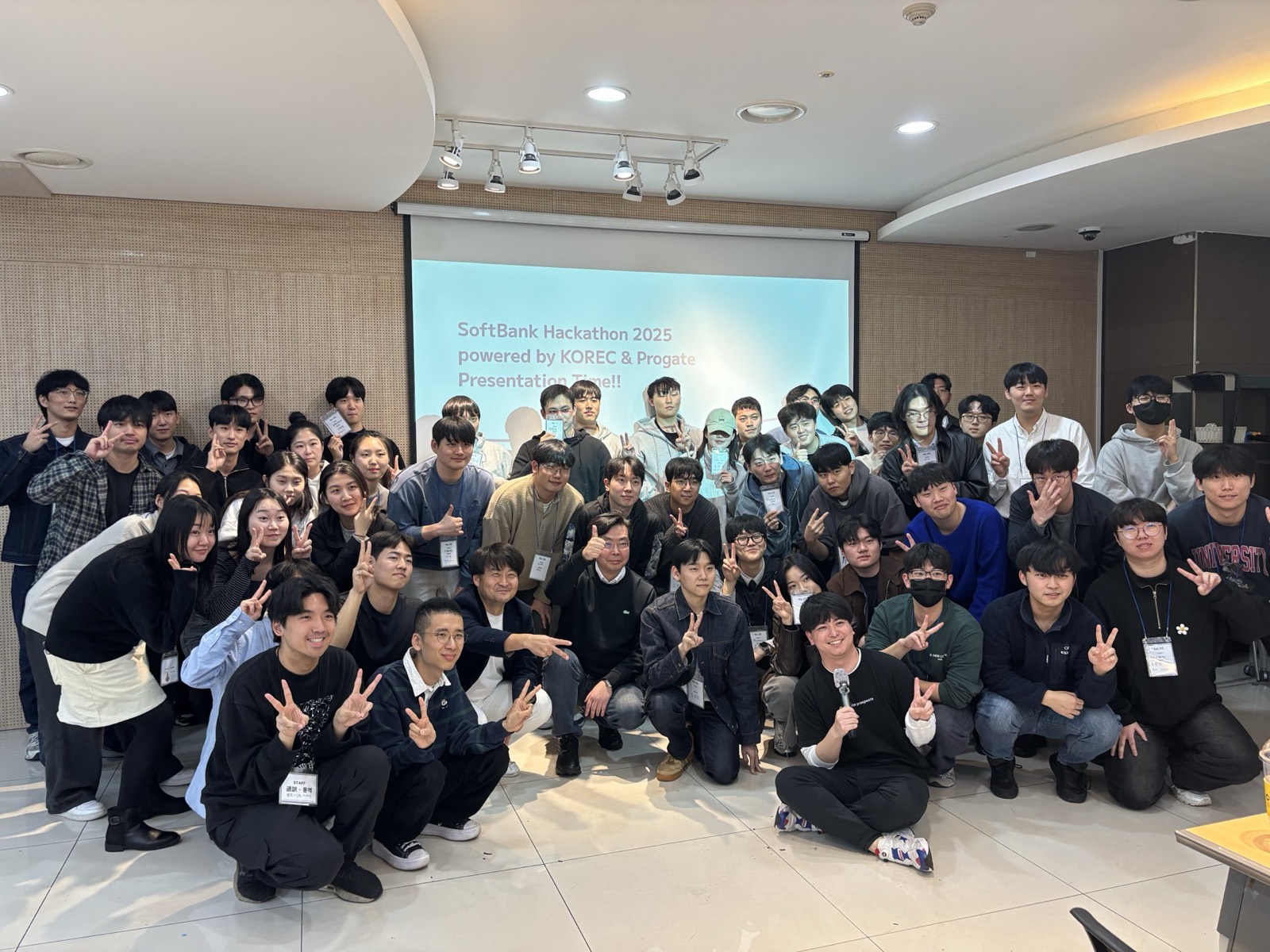
Group photo with SoftBank Hackathon 2025 participants
The visual concept was playful, but the infrastructure decisions were made with reliability first.
The entire workflow is divided into 4 main steps:
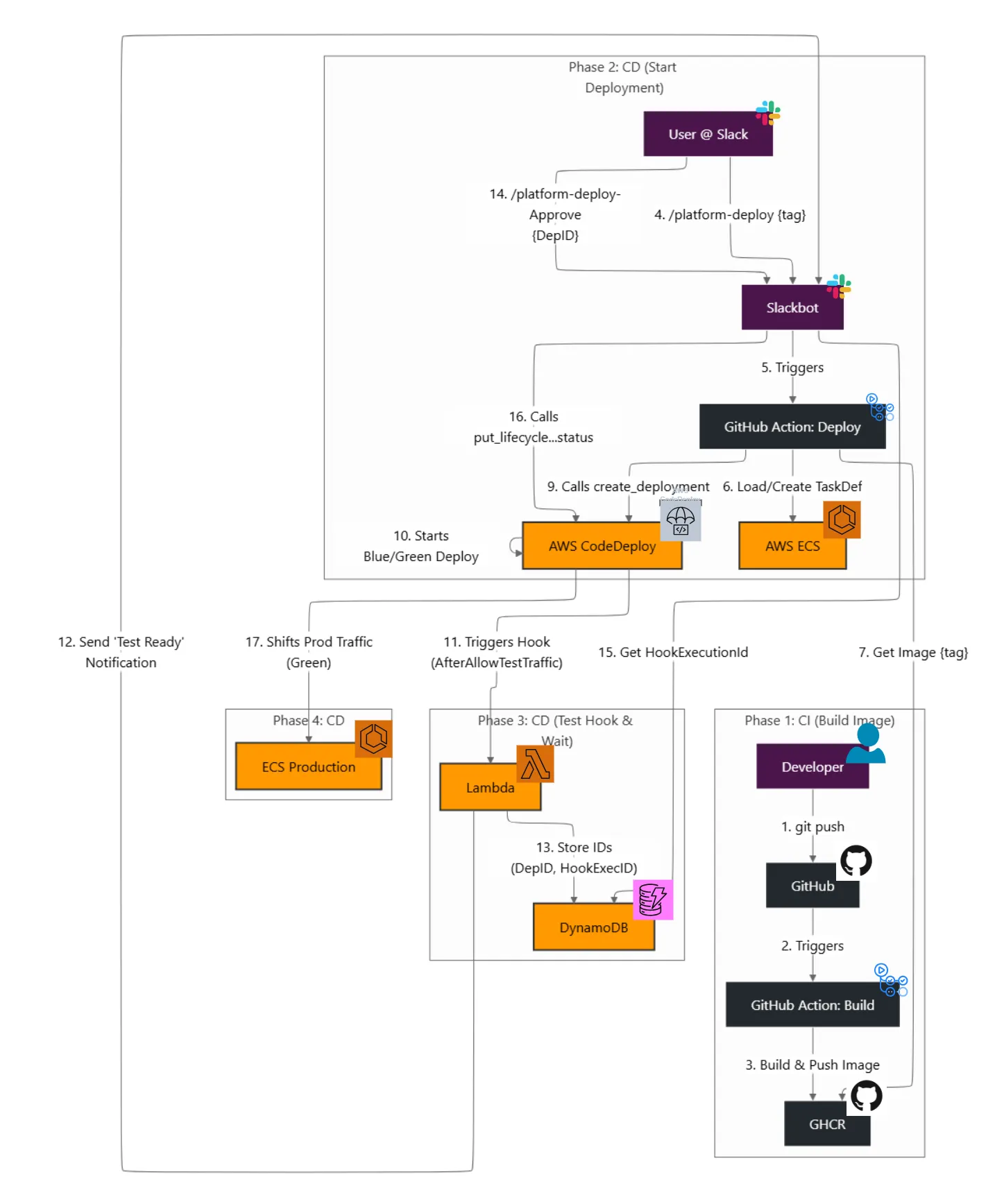
The CI/CD pipeline architecture we built
1flowchart LR
2  Slack --> APIGW --> LambdaPrimary
3  LambdaPrimary -->|Ack| Slack
4  LambdaPrimary -->|Invoke(Event)| LambdaAsync
5  LambdaAsync --> GitHubAPI[(repository_dispatch)]
6  GitHubAPI --> GHActions
7  GHActions --> ECS --> CodeDeploy --> LambdaHooks
8  LambdaHooks --> DynamoDB
9 LambdaHooks --> Slack1lambda_client.invoke(
2 FunctionName=os.environ["ASYNC_FUNCTION_NAME"],
3 InvocationType="Event",
4 Payload=json.dumps({
5 "async_task": "github_deploy",
6 "command_text": body["text"],
7 "response_url": response_url,
8 })
9)The primary Lambda responds to Slack within three seconds and reinvokes itself asynchronously to call repository_dispatch. That eliminated every operation_timeout we saw during early testing.
1name: Backend Deploy
2
3on:
4  repository_dispatch:
5    types: [dev_deploy]
6
7jobs:
8  deploy:
9    runs-on: ubuntu-latest
10    steps:
11      - uses: actions/checkout@v4
12      - run: docker build -t ghcr.io/${{ github.repository }}:${{ github.sha }} .
13      - run: |
14          echo "${{ secrets.GHCR_TOKEN }}" | docker login ghcr.io -u mandu --password-stdin
15          docker push ghcr.io/${{ github.repository }}:${{ github.sha }}
16      - if: ${{ secrets.SLACK_BOT_TOKEN != '' }}
17        run: node scripts/notify-slack.js success
One memorable bug (captured in the shared Claude log) was a 204 response with no workflow execution. Root cause: the target repository simply didn't have the workflow file on main. I now ship a checklist covering repo permissions, PAT scopes, and workflow presence.
1dynamodb.put_item(
2    TableName="DeploymentStatus",
3    Item={
4        "deployment_id": {"S": deployment_id},
5        "hook_execution_id": {"S": hook_execution_id},
6        "status": {"S": "PendingApproval"},
7    },
8)
CodeDeploy hooks read this record to determine which deployment the Slack approval refers to before calling putLifecycleEventHookExecutionStatus.
lambda:InvokeFunction on itself; otherwise the async invocation fails.repo and workflow.===============.operation_timeout → solved by the async ack pattern.repository_dispatch disabled.AccessDeniedException → missing self-invoke policy.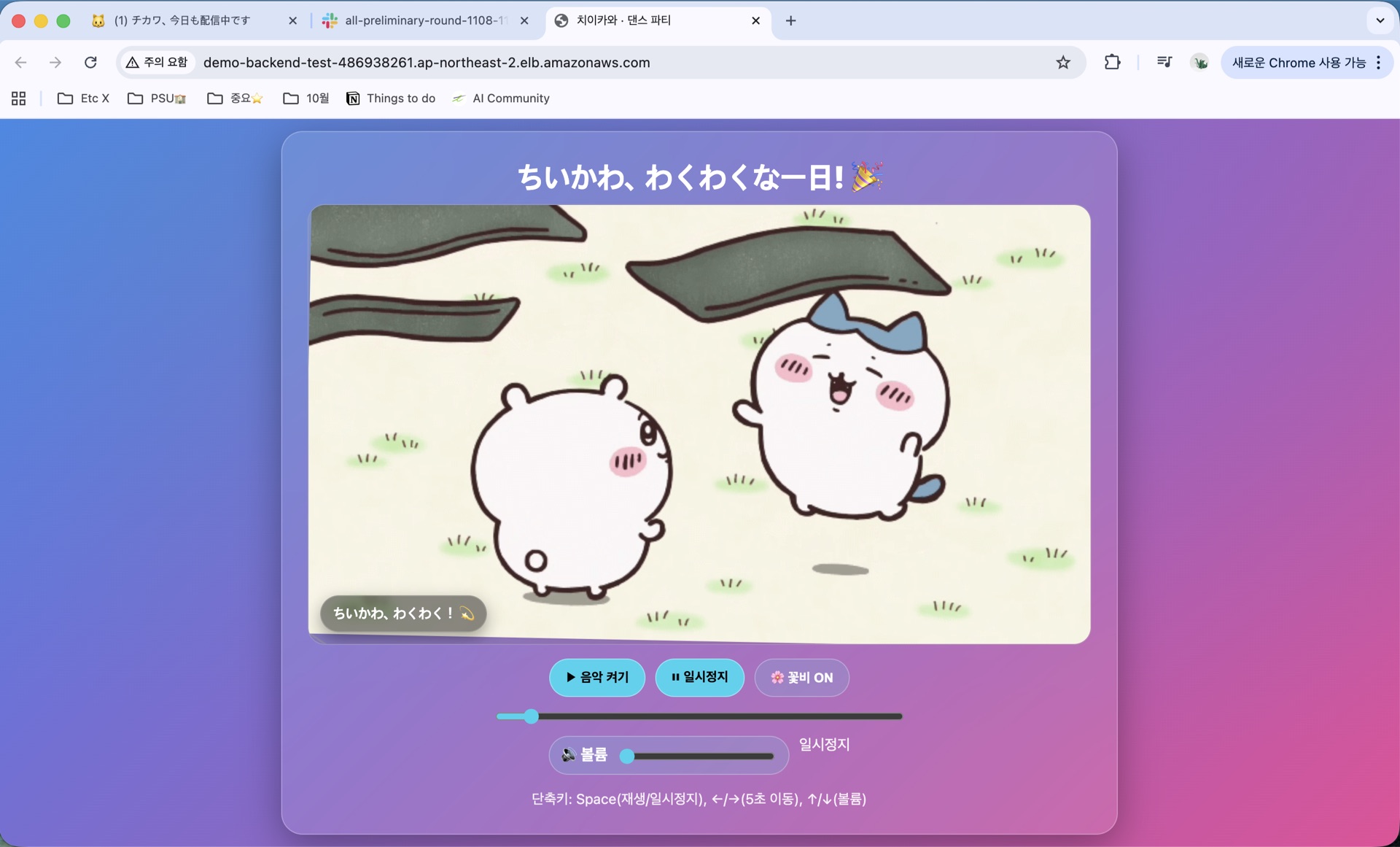
Deployed Website Screen
We didn't just automate deployment; we built a Non-disruptive environment.
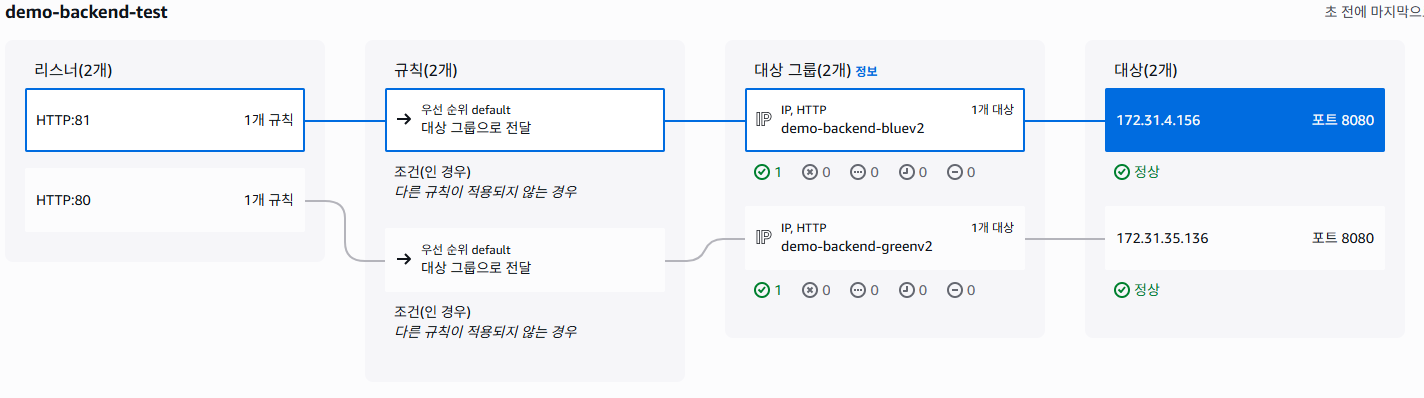
ALB target group configuration for Blue/Green deployment
As shown in the image above, we utilized AWS ALB (Application Load Balancer) listener rules to gradually switch traffic from the existing version (Blue) to the new version (Green).
We implemented this so the entire process is handled solely through conversation with the Slack bot, eliminating the need for developers to access the AWS Console.

Deployment Approval Notification
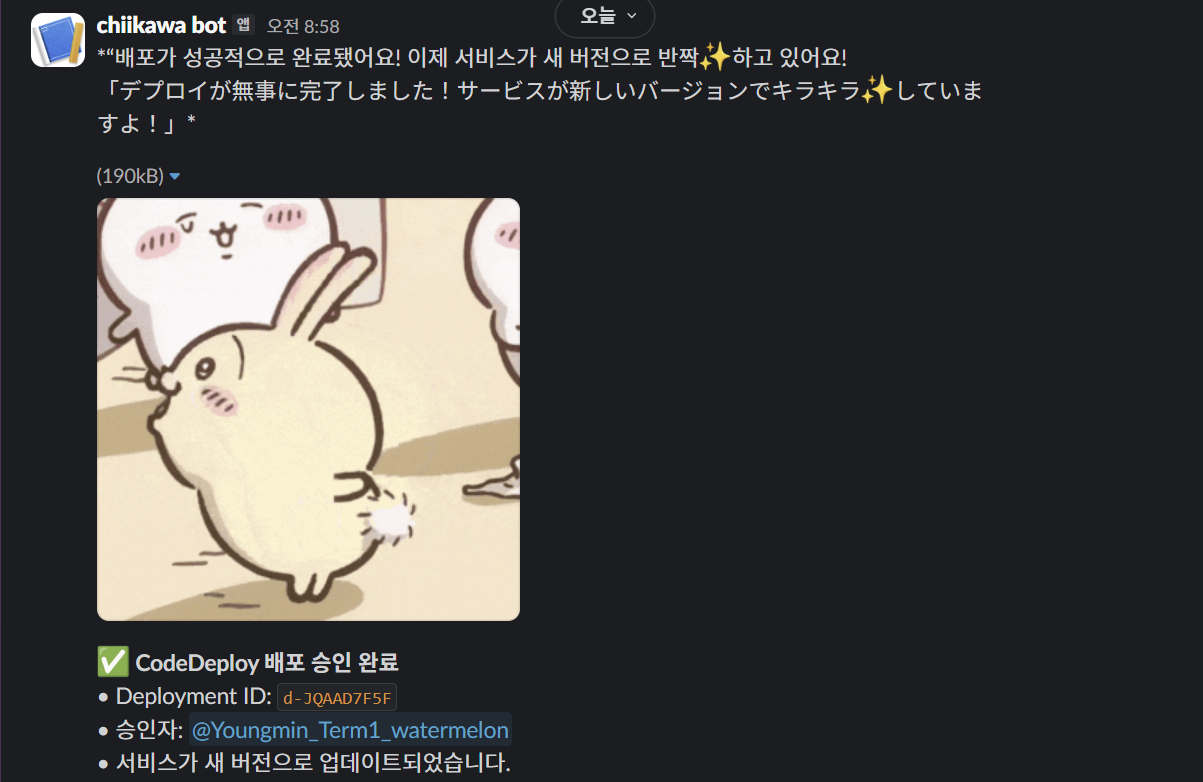
Deployment Completed Notification
Due to the hackathon's time constraints, we couldn't introduce Terraform and instead created resources using GitHub Actions and the AWS Console in parallel. As IAM permissions and load balancer settings became more complex, I regretted not managing it with Terraform for better reproducibility. I definitely plan to introduce IaC in my next project.
Although the pipeline was technically complex, the result was Cuteness. Watching my teammates smile at the Chiikawa memes popping up after every deployment, I realized once again that The role of a DevOps Engineer isn't just to build pipelines, but to improve the Developer Experience (DX).
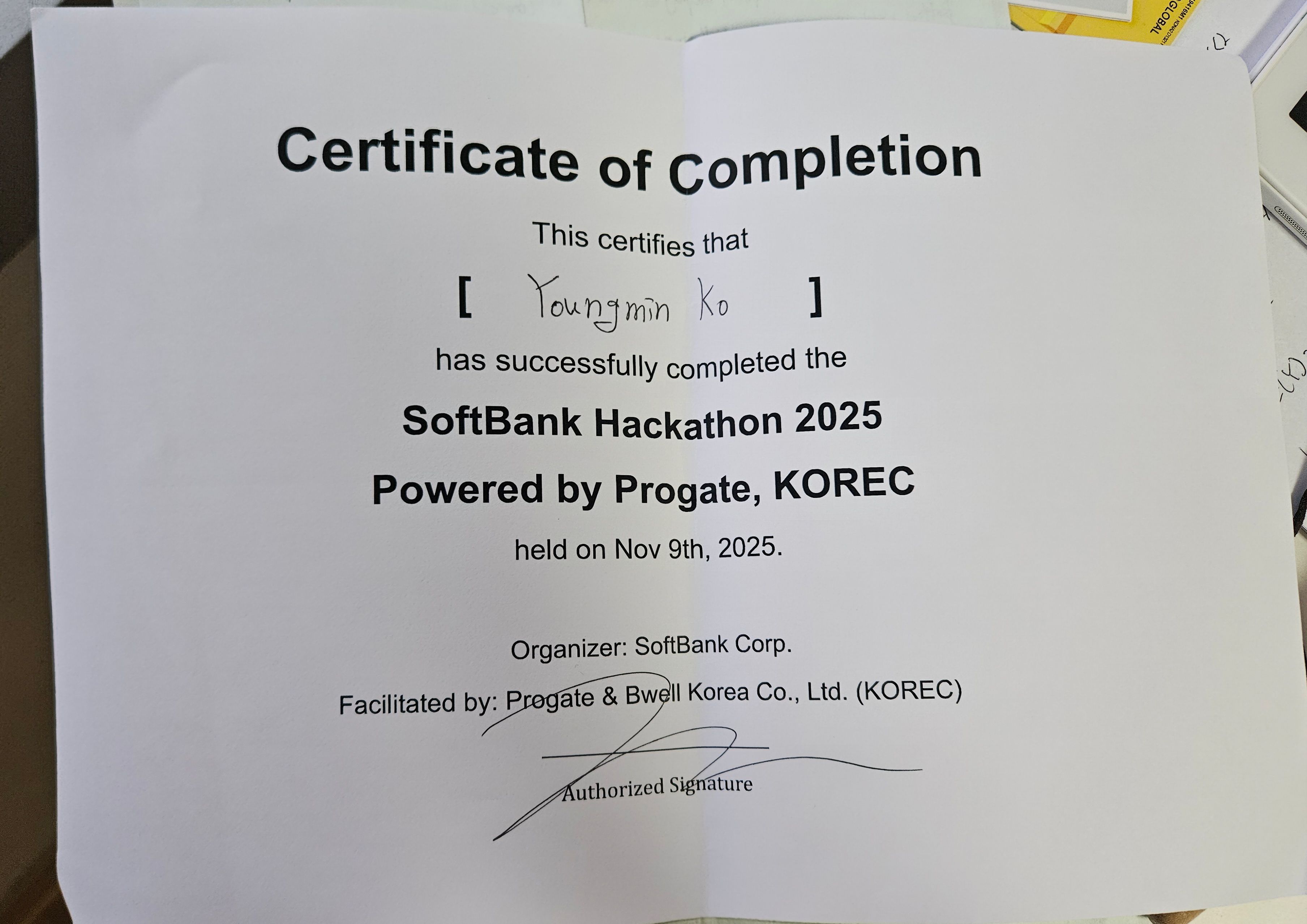
SoftBank Hackathon 2025 Certificate of Completion
This hackathon gave me one clear lesson: infrastructure depth and developer-facing UX can be designed together, not traded off by default.
Technical Documentation: Chiikawa Is Still Deploying Today GitHub Repository: watermelon_bot_test