20th of 1,500 Teams at the Gemini Seoul Hackathon: EquiLaw Turns a Worker's Evidence into a Complaint
Loading comments...
Loading comments...
When workers go unpaid or are harassed at work, the first wall is not the law but the paperwork: organizing evidence, finding which provision was violated, filling in the complaint form and finding the right labor office, all at once. Many give up there.
At the Gemini Seoul hackathon in late February my team built EquiLaw to shorten that process with AI, and we placed 20th of 1,500 teams. I owned the flow that analyzes evidence with Gemini and generates the documents, and the Cloud Run deployment.
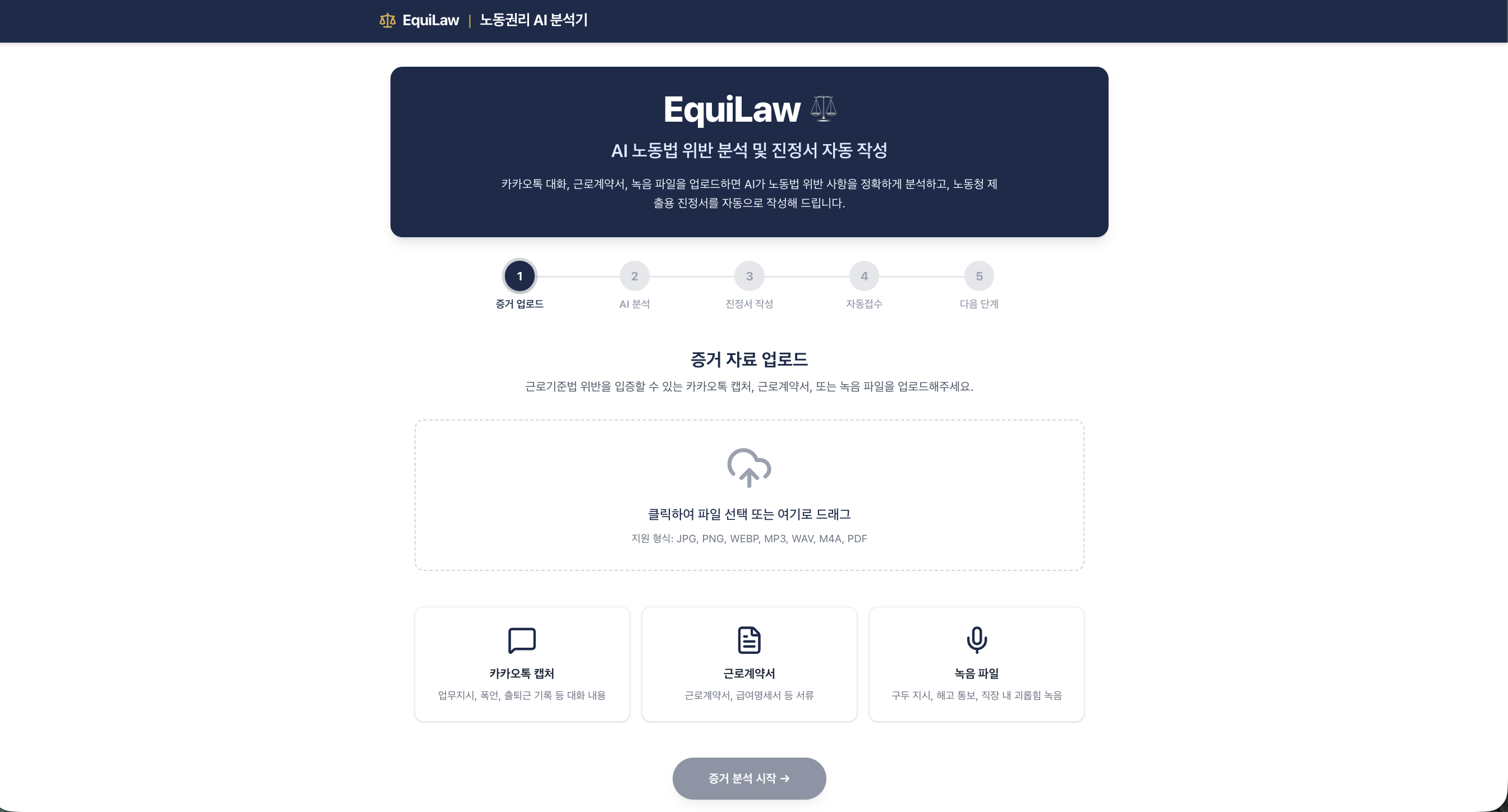
Chat screenshots, the employment contract and a call recording go up together.
1upload evidence (images, audio)
2  → Gemini analysis: which provisions were violated
3    → unpaid-wage calculation
4      → complaint draft, saved as PDF
5        → labor office lookup and a demo of filing
We kept the stack simple: Next.js for the UI, one Gemini API call that reads images and audio together, and a Docker image on Cloud Run.
Screenshots and recordings go to Gemini together. From screenshots it pulls dates, senders and key phrases; recordings are transcribed and read in context to find violations.
1const result = await ai.models.generateContent({
2  model: "gemini-3.0-flash",
3  contents: [{
4    role: "user",
5    parts: [
6      { text: ANALYSIS_PROMPT },
7      { inlineData: { mimeType: imageFile.type, data: imageBase64 } },
8      { inlineData: { mimeType: audioFile.type, data: audioBase64 } },
9    ],
10  }],
11});
The result shows each violation and its Labor Standards Act article next to the extracted conversation. Handling image and audio in a single call turned out to be entirely doable within a hackathon.
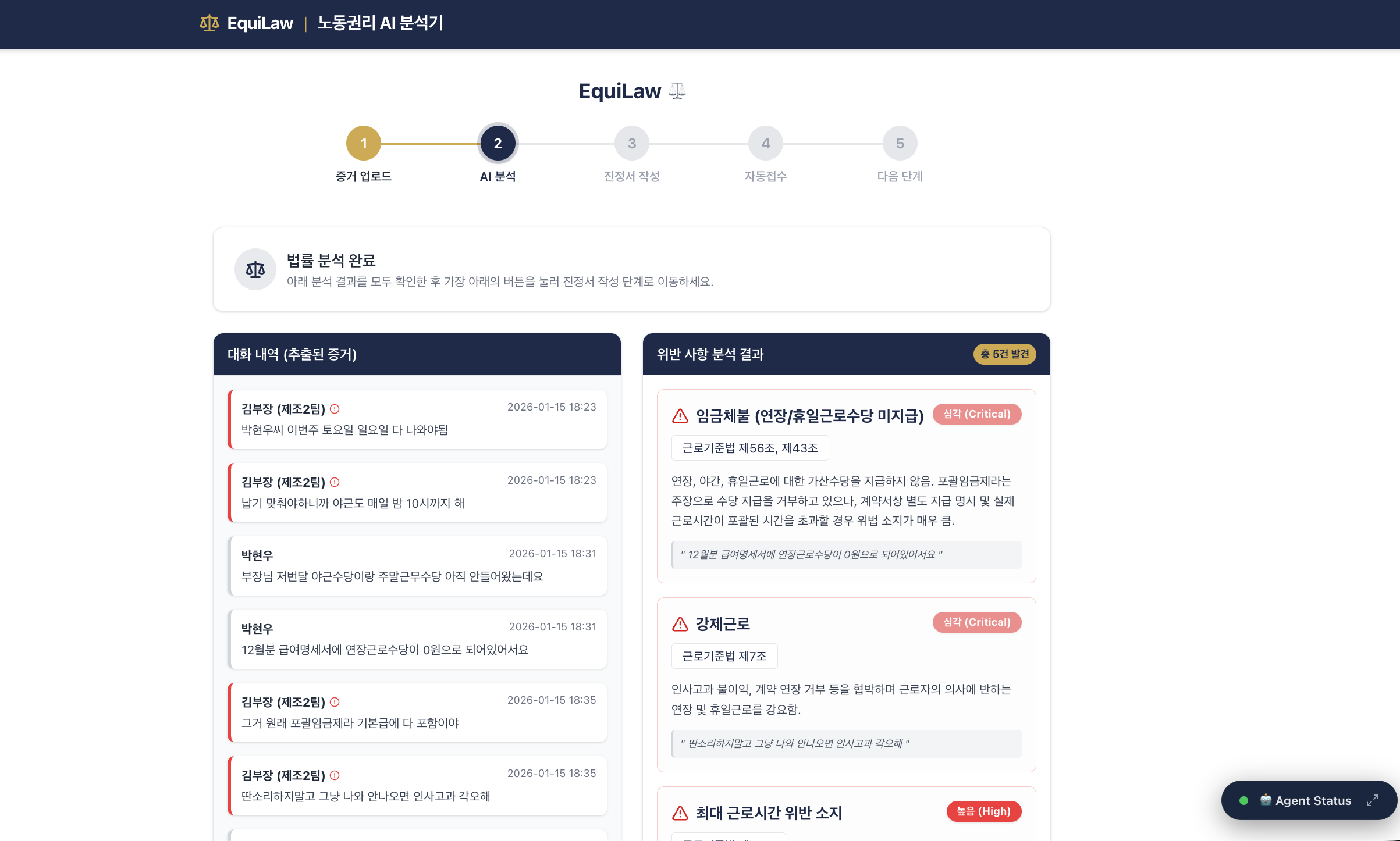
Left: the conversation extracted from evidence. Right: violations and the matching articles.
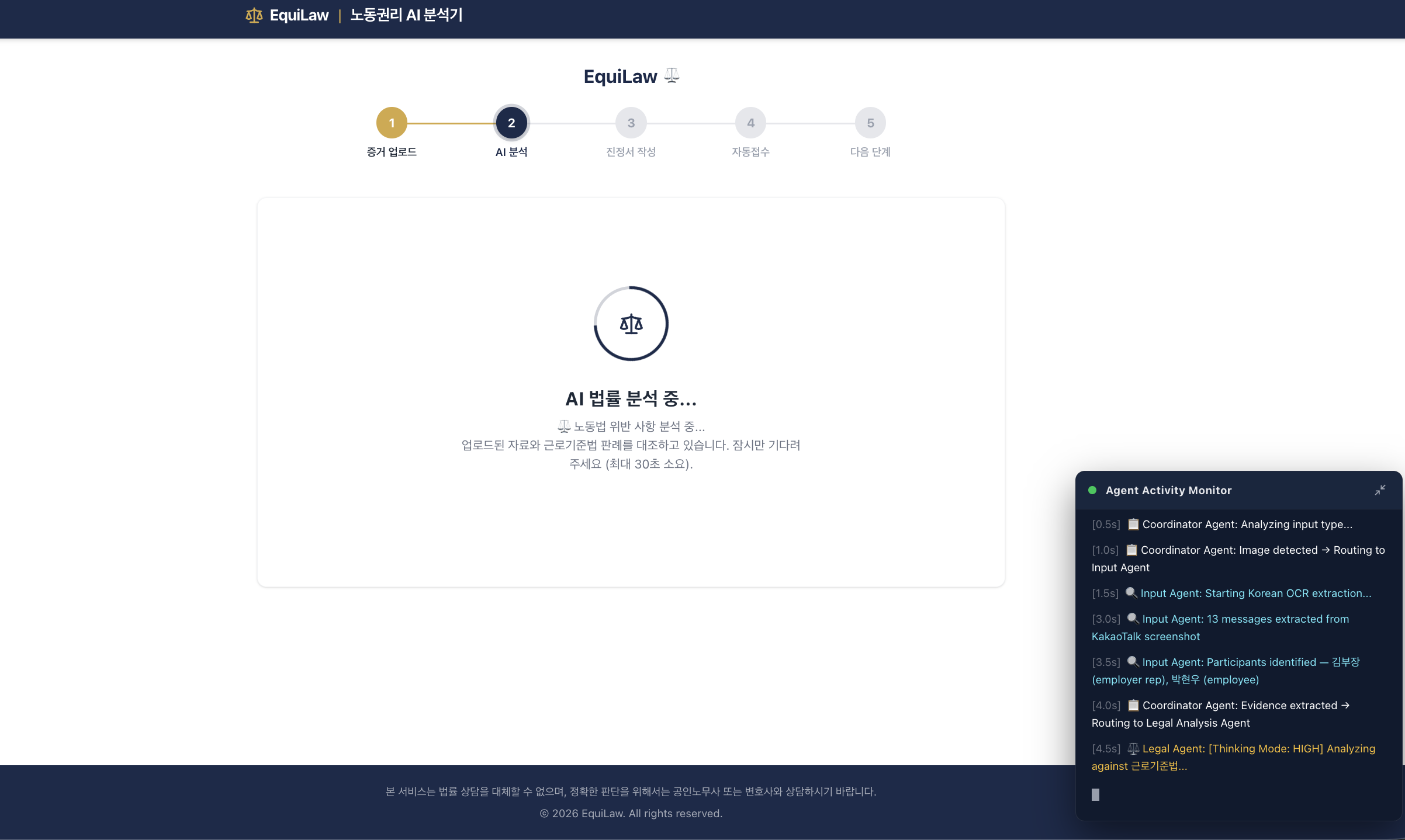
Analysis takes 10 to 30 seconds, and people leave if nothing moves. So while they wait, step-by-step progress lines appear in a terminal-style panel. It is a progress display, not a live trace of the actual processing.
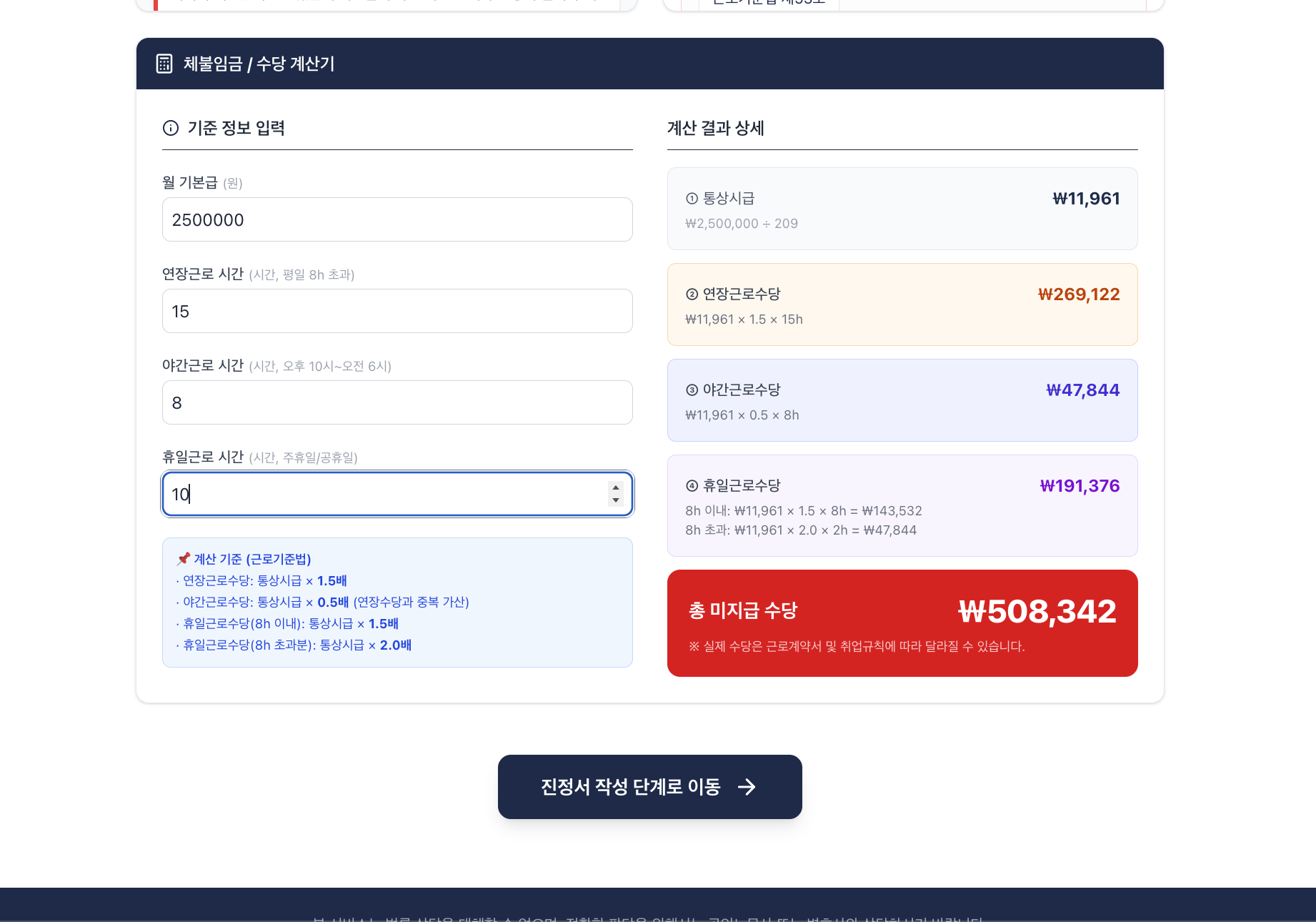
From the extracted base pay, overtime hours and severance status, EquiLaw computes unpaid amounts item by item (base pay, overtime, night and holiday premiums, severance, late interest), each with its legal basis, and lets the user adjust the numbers.
It then drafts the complaint from the analysis and the calculation: complainant, respondent, purpose, reasons and a list of attachments, in the standard layout, with the resident registration number masked.
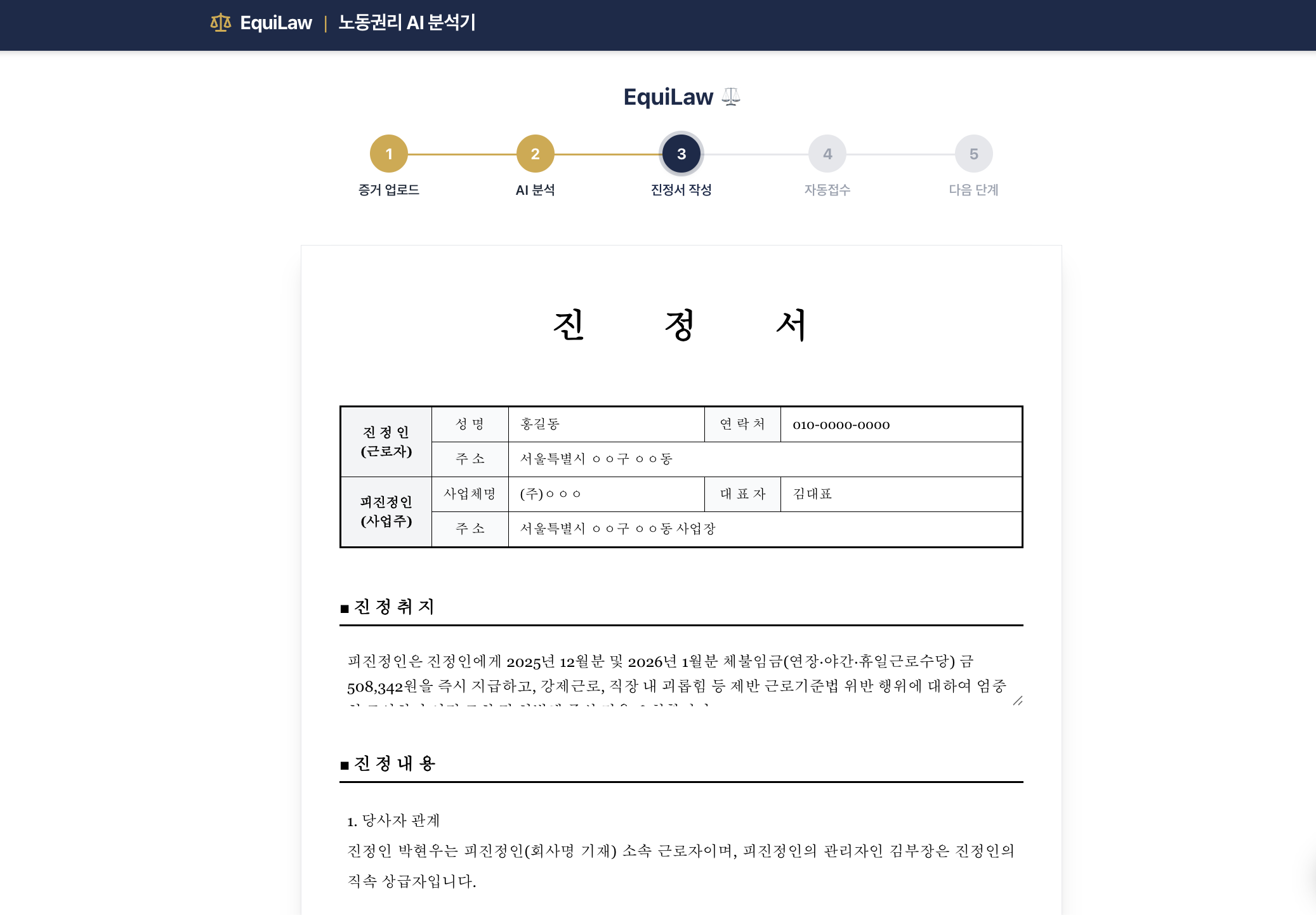
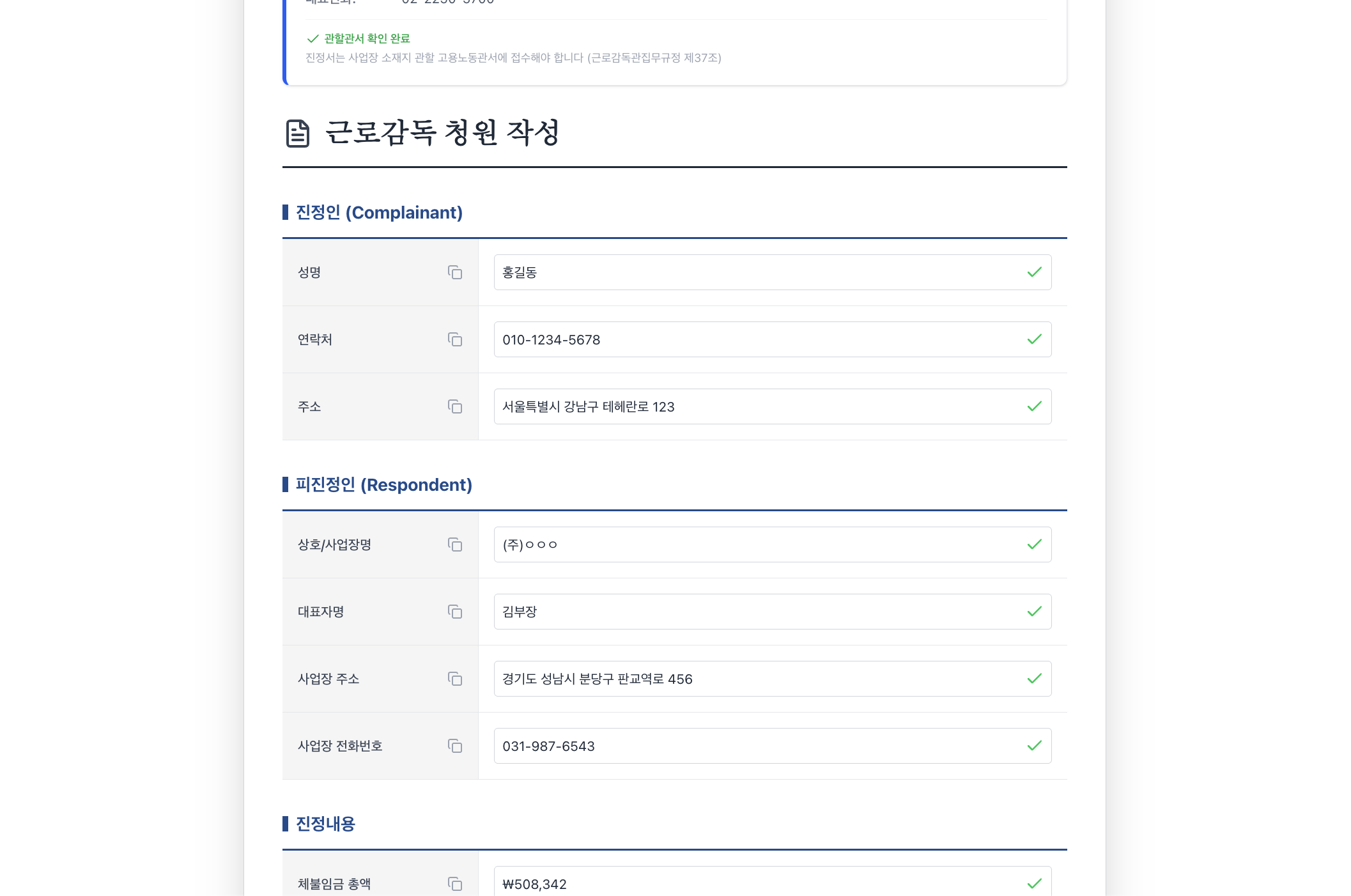
Real fax transmission and portal integration were out of reach in a hackathon. Instead we showed users what to do next: it finds the labor office and fax number for their address, fills a mock of the complaint portal, and walks through sending the fax.
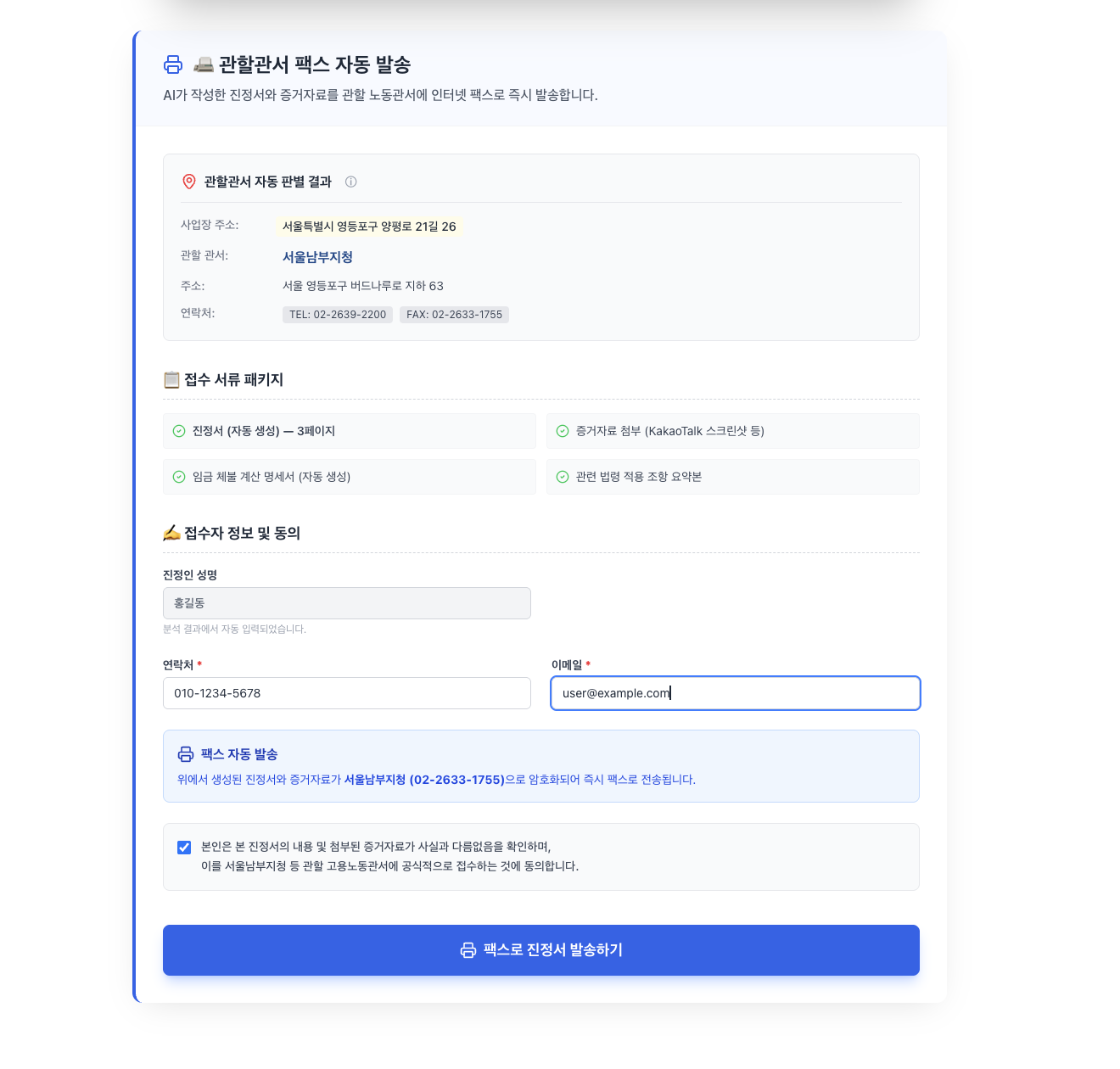
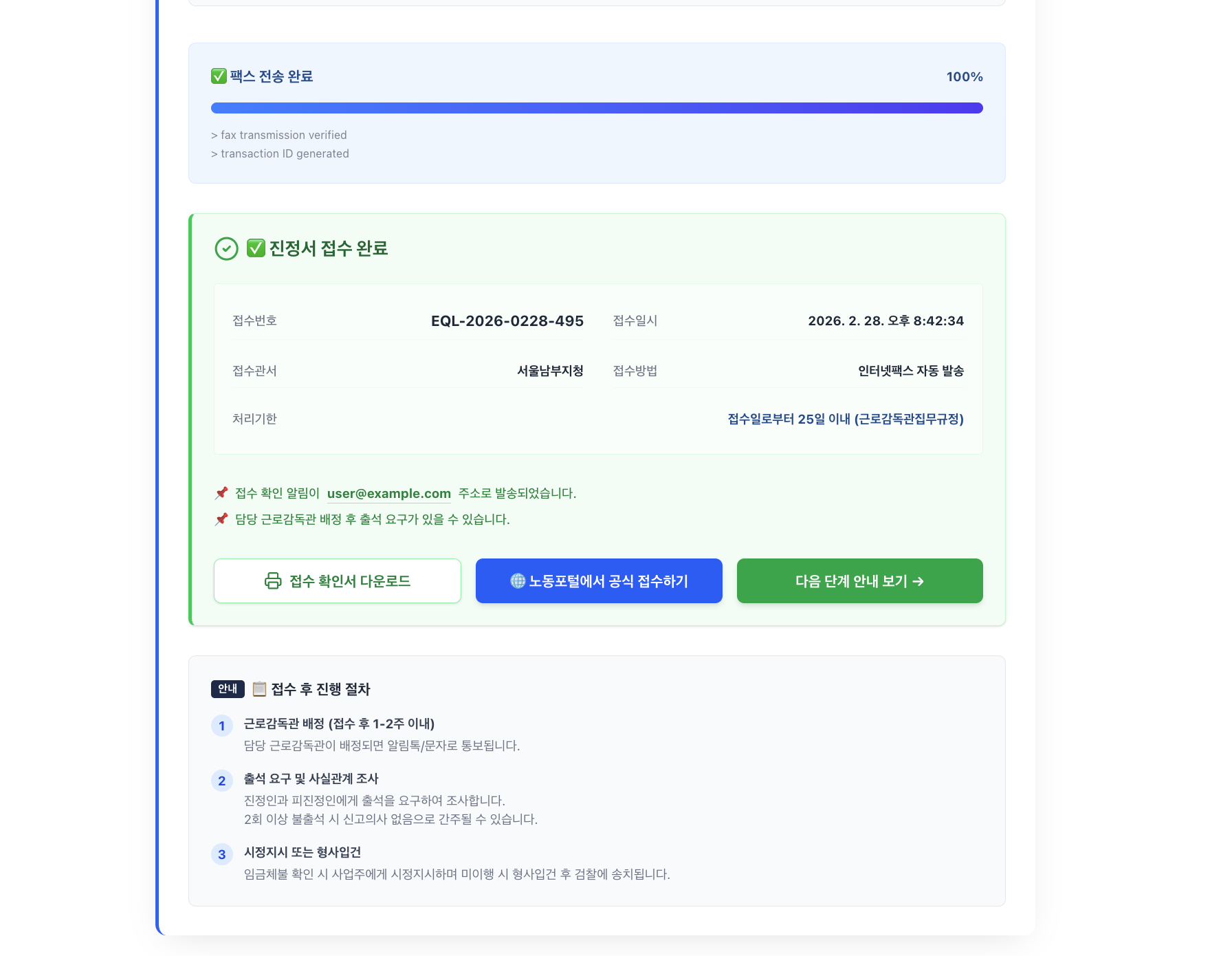
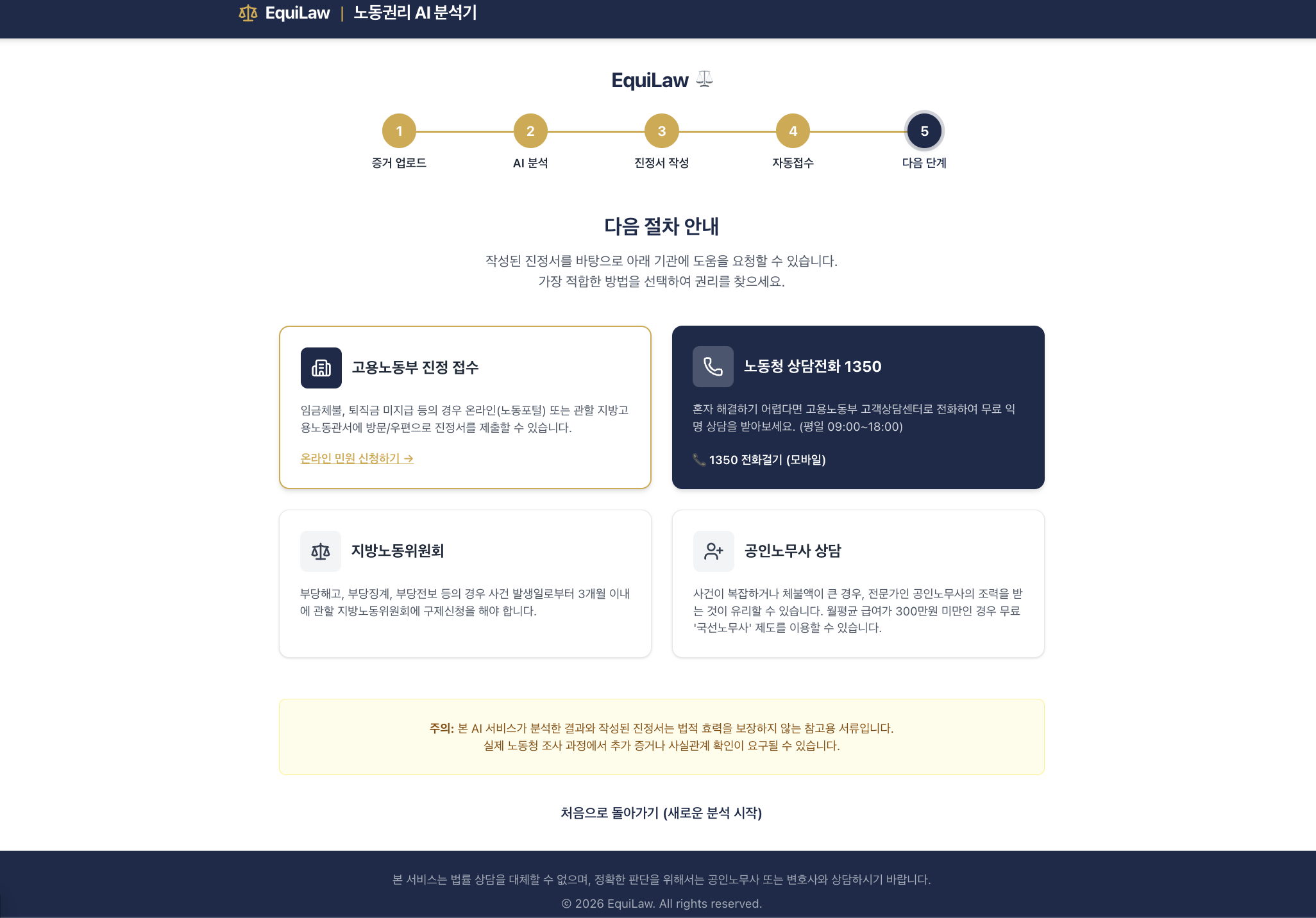
The last screen gathers the next options: the labor hotline, the regional labor relations commission, and a labor attorney consultation.
PDF export broke. The screenshot-to-PDF library could not parse Tailwind CSS v4's new color functions.
1Attempting to parse an unsupported color function "lab"Rather than fix the library, we switched to the browser's print function: hide buttons and menus when printing, and the user picks "Save as PDF". Sometimes the browser's built-in feature is sturdier than a clever library.
1@media print {
2  .no-print { display: none !important; }
3}
The deploy build failed. Installing without dev dependencies in Cloud Build also dropped TypeScript and the Tailwind tooling the build needed. Including dev dependencies again and moving the config file to JavaScript fixed it; after that, a push to GitHub deployed through Cloud Build to Cloud Run automatically.
The goal stays the same: let people claim their rights without knowing the law.